CMS vs. Headless CMS: What's the Difference?

If you're planning a new website or evaluating a platform switch, you've likely run into two terms that get thrown around a lot: CMS and headless CMS. They sound similar, and in some ways they are related, but they represent fundamentally different approaches to managing and delivering content. In this guide, we'll break down CMS vs headless CMS, comparing how each works, their pros and cons, and how to decide which one fits your project.
Table of Contents
Quick Definitions
Before diving into the comparison, let's define each term clearly.
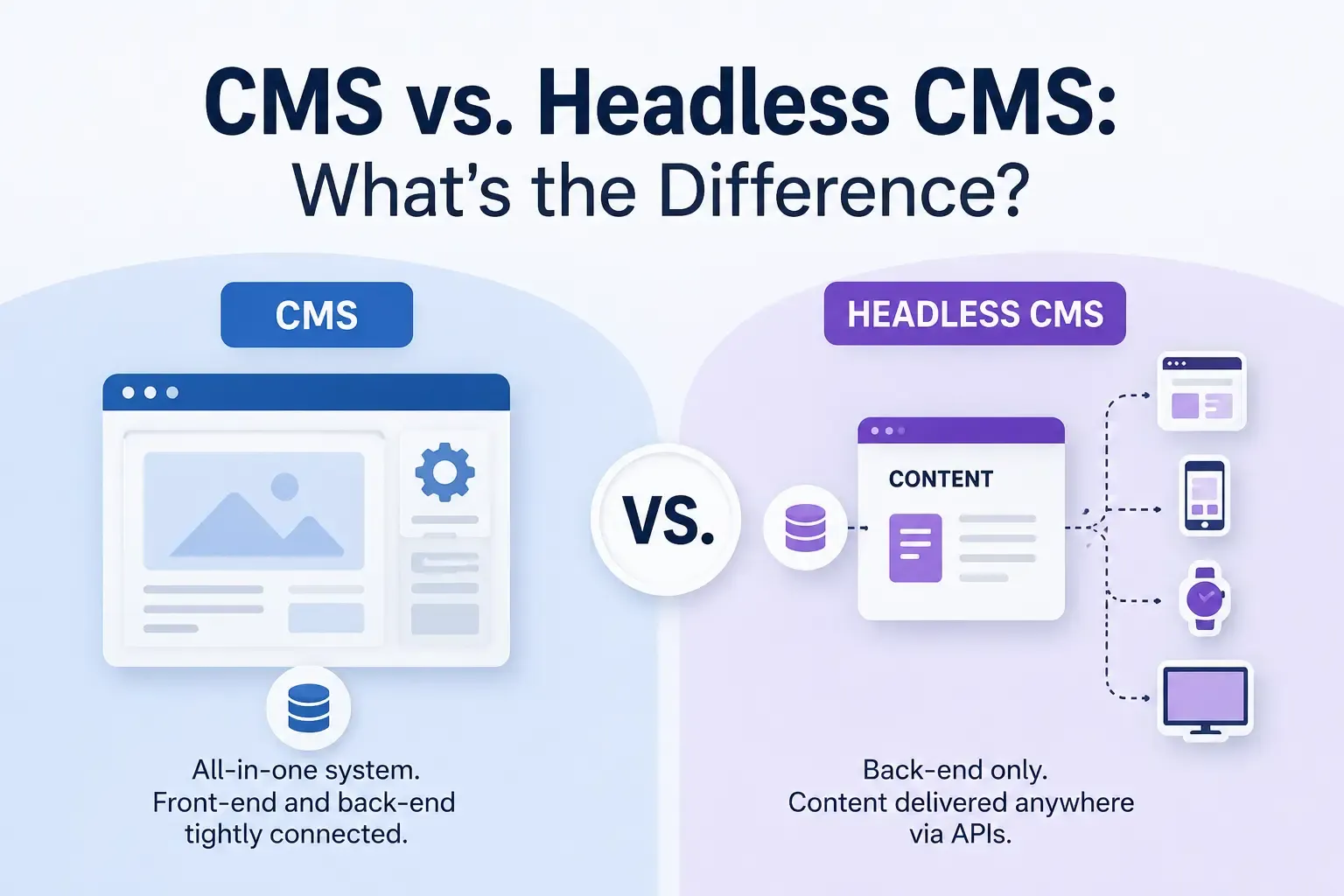
A traditional CMS (Content Management System) is an all-in-one platform that handles content creation, storage, and the final presentation layer that visitors see in their browser. Everything, from your content to your design, lives in one connected system.
A headless CMS only handles content creation and storage. There's no built-in front end. Instead, content is delivered to any device or application through an API, and developers build a separate front end to display that content however they choose.
The word "headless" refers to removing the "head", meaning the presentation layer, from the CMS "body," where content is created and stored.
How a Traditional CMS Works
Platforms like WordPress in its standard setup are the most common example of a traditional CMS. Here's the basic workflow:
- You install the CMS and choose a theme or template.
- You create content directly within that system.
- The CMS renders that content into a finished webpage using its built-in templating engine.
- Visitors see the final page exactly as the CMS displays it.
Because everything is bundled together, traditional CMS platforms are typically easier to set up, especially for non-developers. You don't need to build a separate front end; the CMS handles that for you out of the box.
How a Headless CMS Works
A headless CMS separates the content layer from the presentation layer entirely. The typical workflow looks like this:
- Content is created and stored in the CMS, usually in a structured format like JSON.
- When a website, mobile app, or other channel needs that content, it requests it through an API.
- Developers use their own front-end framework, like React, Vue, or Next.js, to fetch and display that content.
- The same content can be reused across multiple channels: a website, a mobile app, a smartwatch, digital signage, and more.
Because there's no built-in front end, headless CMS platforms require development resources to build and maintain the presentation layer.
Key Differences at a Glance
Feature | Traditional CMS | Headless CMS |
|---|---|---|
Content and presentation | Combined | Separated |
Front-end flexibility | Limited to CMS templates/themes | Fully customizable |
Setup difficulty | Easier for beginners | Requires development resources |
Multi-channel delivery | Difficult | Built-in strength |
Performance | Can be slower, template-dependent | Often faster, lightweight API delivery |
Security | More exposed via themes/plugins | Smaller attack surface |
Content preview | Built-in, WYSIWYG | Sometimes limited, depending on platform |
Best for | Simple websites, blogs, small businesses | Multi-platform businesses, custom builds |
Advantages of a Traditional CMS
- Beginner-friendly: You don't need coding knowledge to launch a fully functioning website.
- All-in-one convenience: Content, design, and hosting logistics are often managed within a single system.
- Huge ecosystems: Platforms like WordPress have enormous libraries of themes and plugins, making it easy to add functionality without custom development.
- Built-in previews: What you see in the editor closely matches what visitors will see on the live site.
Advantages of a Headless CMS
- Omnichannel content delivery: The same content can power a website, mobile app, and other digital touchpoints from a single source.
- Developer freedom: Teams can choose whatever front-end technology best fits their project instead of being locked into a specific templating system.
- Better performance: Lightweight API-based content delivery often results in faster-loading websites.
- Stronger security posture: With no public-facing front end tied directly to the CMS, there's a smaller surface for attackers to exploit through themes or plugins.
- Future-proofing: As new platforms and devices emerge, headless architecture makes it easier to extend content delivery without rebuilding your entire system.
Drawbacks to Consider
Traditional CMS drawbacks:
- Content is often locked into a specific front-end structure, making multi-channel publishing harder.
- Themes and plugins can introduce security vulnerabilities.
- Performance can suffer as sites grow in complexity.
Headless CMS drawbacks:
- Requires development resources to build and maintain the front end.
- Higher upfront cost and technical complexity.
- Some platforms lack built-in content previews, making it harder for editors to visualize the final result.
Which One Should You Choose?
The right choice really comes down to your team's resources, technical needs, and long-term goals.
A traditional CMS is likely the better fit if:
- You're a solo blogger, small business, or nonprofit without dedicated developers.
- You need to launch quickly without building a custom front end.
- You want an all-in-one platform with easy-to-install themes and plugins.
A headless CMS is likely the better fit if:
- You're managing content across multiple platforms, like a website, mobile app, and IoT devices.
- You have developers who want full control over the front-end experience.
- Site performance and scalability are top priorities.
- You're planning for long-term growth and want the flexibility to add new channels down the road.
Some businesses also opt for a hybrid approach, sometimes called "decoupled" architecture, where a traditional CMS is paired with a separate front end. This can offer some of the flexibility of headless systems while keeping familiar editorial tools intact.
Final Thoughts
When comparing CMS vs headless CMS, there's no universally "better" option, only the option that better fits your specific needs. A traditional CMS offers simplicity and speed for smaller, single-channel websites, while a headless CMS offers flexibility, performance, and scalability for businesses managing content across multiple platforms.
Before deciding, take stock of your team's technical resources, how many channels you need to publish to, and how much control you want over your front-end experience. That assessment will make the choice between traditional and headless architecture much clearer.




Comments