EmDash CMS Review: Features, Pricing, and Verdict

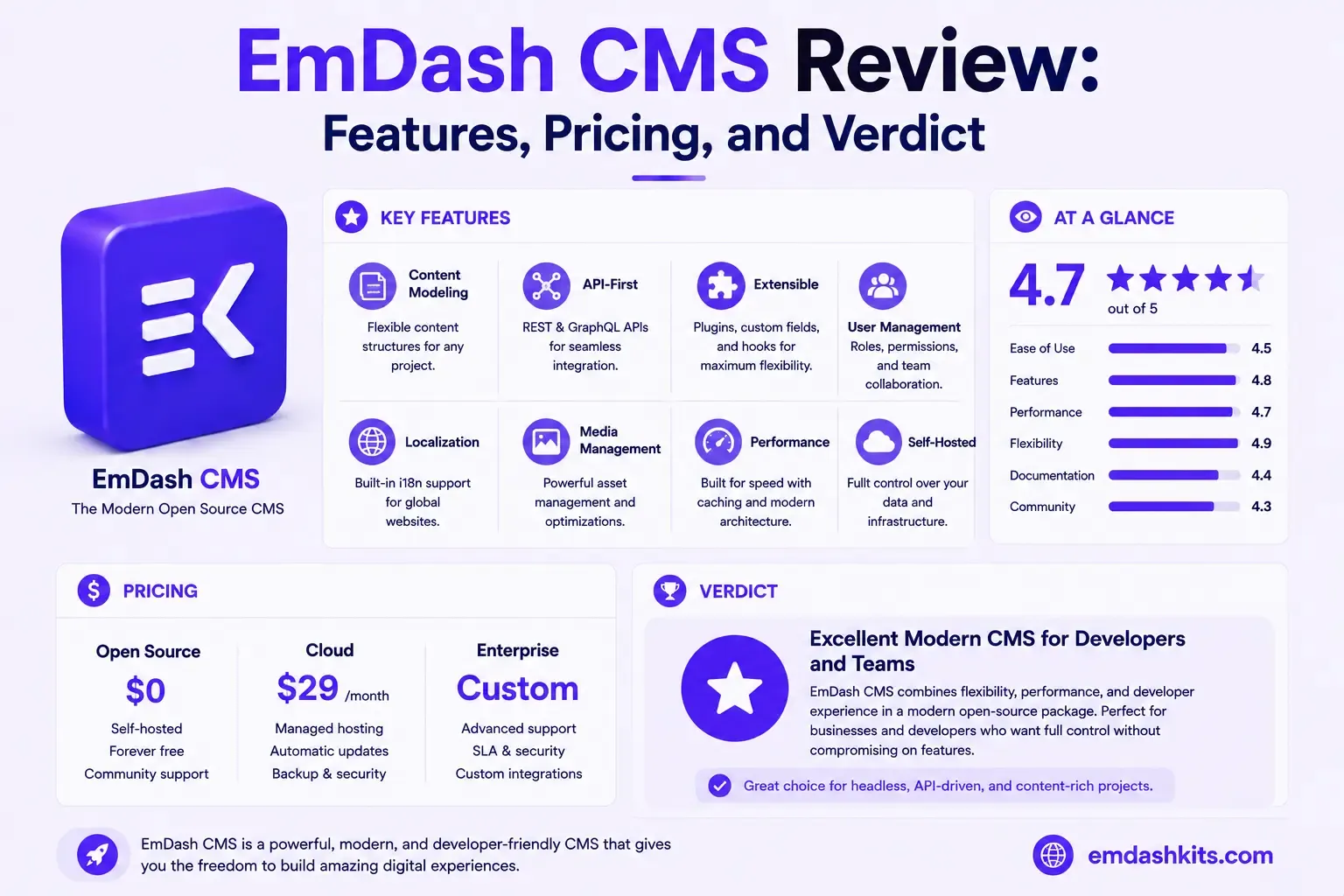
This review is based on direct, hands-on use — building and running a real site on EmDash, migrating its database in production, extending its platform behavior, and hitting real limitations along the way. That's reflected in the verdict: genuine strengths, genuine gaps, not a marketing summary.
Table of Contents
- What EmDash Actually Is
- Real Strengths
- Sandboxed Plugin Security
- AI-Native Tooling as Core Platform, Not an Add-On
- A Real, Guided WordPress Migration Path
- Type Safety From Query to Template
- No License Fee, No Per-Seat Cost
- Real Limitations
- No Visual Page Builder
- Not a Headless CMS in the Traditional Sense
- No Native Ecommerce
- No Built-In Multi-Tenancy
- A Newer, Smaller Plugin Ecosystem
- No Independent Third-Party Performance Benchmarks Yet
- Postgres Feature Parity Gaps
- No Named Compliance Certifications
- Who EmDash Is Genuinely Right For
- Who Should Look Elsewhere
- The Verdict
- Frequently Asked Questions
- Is EmDash mature enough for a production business site?
- What's the single biggest reason to choose EmDash over WordPress?
- What's the single biggest reason to choose something else?
- The Bottom Line
What EmDash Actually Is
EmDash is an Astro-native content management system. It uses Astro 6's Live Content Collections to serve content at runtime, so edits appear immediately. Content is stored in a SQL database — SQLite, libSQL, Cloudflare D1, or PostgreSQL — and media in S3-compatible storage.
It's explicitly not a headless CMS in the traditional decoupled sense — it runs in the same deployment as your Astro site, not as a separate API service you call from an arbitrary frontend. That's a deliberate architectural choice worth understanding before evaluating it against anything else.
Real Strengths
Sandboxed Plugin Security
Plugins must explicitly declare capabilities (content access, network access, and specific host allowlists) in a manifest — a plugin that doesn't declare `network:request` structurally cannot reach the network, not just by convention. This is a genuine architectural answer to the plugin-security problem that drives most of WordPress's documented vulnerability disclosures.
AI-Native Tooling as Core Platform, Not an Add-On
A built-in MCP server, enabled by default, lets AI assistants manage content under the same role-based permissions a human editor has. This is genuinely differentiated — most competing platforms are still treating AI integration as a third-party plugin or a future roadmap item.
A Real, Guided WordPress Migration Path
The WXR import wizard converts Gutenberg blocks to structured content, preserves taxonomy hierarchy and custom fields, and generates a redirect map — a genuinely more complete migration tool than a generic content-dump script.
Type Safety From Query to Template
Generated TypeScript types from your live content model give real autocomplete and compile-time safety — catching a content-field typo before production rather than after.
No License Fee, No Per-Seat Cost
Fully open-source, self-hosted, cloud-portable across Cloudflare Workers or Node.js. Real cost is infrastructure and development time, not a recurring vendor bill — see our full pricing breakdown for the honest numbers.
Real Limitations
No Visual Page Builder
There's no drag-and-drop canvas — building a page means writing Astro templates. For a team that needs marketers building layouts without developer involvement, this is a genuine gap against platforms like Webflow or Storyblok.
Not a Headless CMS in the Traditional Sense
Connecting a separate frontend framework (Next.js, Nuxt) means using EmDash purely through its REST API, losing the live-update and type-safety benefits that are its core selling points — see our honest breakdown of what that trade-off actually costs.
No Native Ecommerce
No cart, checkout, or payment processing built in — EmDash is a content layer, not a commerce platform.
No Built-In Multi-Tenancy
Each site is its own deployment; there's no single instance serving multiple isolated client sites the way Webiny or Payload CMS offer.
A Newer, Smaller Plugin Ecosystem
The plugin registry and its discovery client are explicitly marked experimental — a genuinely smaller catalog than WordPress's, Strapi's, or Craft's more established marketplaces.
No Independent Third-Party Performance Benchmarks Yet
Unlike WordPress, Webflow, Wix, or Squarespace — all of which have published Core Web Vitals research — EmDash doesn't have independent benchmark data yet. Its Astro-islands architecture gives real, mechanistic reason to expect strong numbers, but that's architectural reasoning, not a verified lab result.
Postgres Feature Parity Gaps
Built-in full-text search is currently SQLite/libSQL-specific and doesn't support PostgreSQL — a real, current limitation worth checking against your specific database choice before committing.
No Named Compliance Certifications
No SOC 2, ISO 27001, or HIPAA certification — a hard blocker for regulated-industry procurement that requires them, regardless of EmDash's actual technical security posture.
Who EmDash Is Genuinely Right For
- Teams already building on Astro, or open to it.
- Teams migrating off WordPress who want modern tooling and a real guided import path.
- Teams that want sandboxed plugin security specifically, not just "newer than WordPress."
- Teams with in-house development capacity who want to avoid recurring SaaS CMS fees.
Who Should Look Elsewhere
- Teams needing a visual page builder with no developer involvement — see Webflow or Framer.
- Teams needing native ecommerce — see Shopify or WooCommerce.
- Agencies needing multi-tenant infrastructure for many client sites from one instance — see Webiny or Payload.
- Regulated-industry teams with a hard compliance-certification procurement requirement — see Kontent.ai.
The Verdict
EmDash delivers genuinely differentiated value in three specific areas — plugin security architecture, AI-native tooling as a first-class feature, and a real WordPress migration path — while being honest that it's a newer platform with real gaps: no visual builder, no ecommerce, no multi-tenancy, and not yet the subject of independent performance research. It's not the right fit for every project, but for the specific combination of "Astro-based, developer-resourced, plugin-security-conscious" it's a genuinely strong choice, not just a WordPress clone with a new coat of paint.
Frequently Asked Questions
Is EmDash mature enough for a production business site?
For a project matching its actual strengths (structured content, Astro front end, development capacity available), yes — this review itself is based on a real production site running on it. For a project needing its current gaps (visual builder, ecommerce, certified compliance), no.
What's the single biggest reason to choose EmDash over WordPress?
Plugin security architecture specifically — sandboxed, capability-scoped plugins address the root cause of most WordPress vulnerability disclosures, which come overwhelmingly from its unrestricted plugin ecosystem.
What's the single biggest reason to choose something else?
Needing a capability EmDash genuinely doesn't have yet — a visual builder, native ecommerce, multi-tenancy, or compliance certification — rather than a vague platform-maturity concern.
The Bottom Line
This review's verdict: EmDash is a real, differentiated platform worth serious evaluation for the specific project profile it fits, not a universal WordPress replacement. See our 10-minute setup guide to form your own opinion directly rather than taking any review's word for it, including this one.




Comments