EmDash CMS vs Framer: Which One Should You Choose?

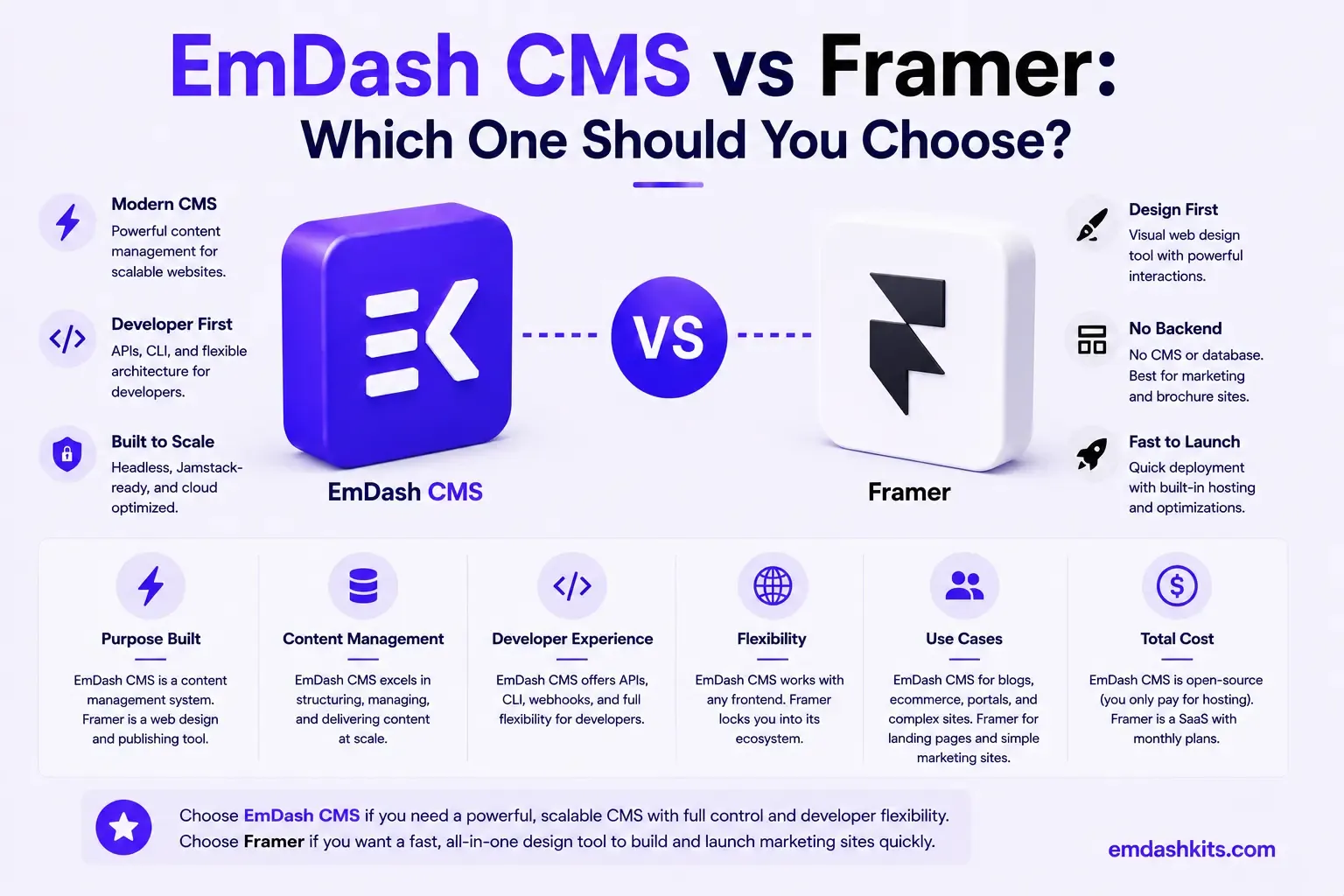
Framer started as a design and prototyping tool and evolved into a full website builder with hosting and a built-in CMS — its entire pitch is that teams who think in Figma shouldn't have to hand designs off to developers to go live. EmDash is the opposite kind of tool: a structured content backend you build an Astro front end against, with no visual canvas at all. This comparison is really about whether design fidelity or content structure is your priority.
Table of Contents
- Quick Answer
- Built for Designers, Not Developers
- Pricing
- CMS Capabilities and Limits
- Design Fidelity vs. Structured Data
- Plugin and Extension Security
- Where Framer Pulls Ahead
- Where EmDash Pulls Ahead
- Frequently Asked Questions
- Is Framer good for a complex, content-heavy site?
- Do I need to know how to code to use Framer?
- How much does a small team actually pay for Framer with a few editors?
- Can EmDash match Framer's design quality?
- The Bottom Line
- Sources
Quick Answer
Framer is the stronger choice for designers, startups, and marketing teams that want visually polished sites shipped fast without custom front-end engineering. EmDash is the stronger choice for teams that need structured, queryable content, full code ownership, and sandboxed plugin security — and have the development resources to build a real front end.
Built for Designers, Not Developers
If your team spends more time in Figma than in code editors, Framer is the natural fit. The Figma-to-Framer pipeline, the visual-first builder, and the design fidelity make it the stronger choice for teams where design quality and iteration speed are the top priorities. It is less ideal for complex web apps, heavily transactional products, or teams that need full code ownership.
That's a genuinely honest positioning, and it draws the line clearly against EmDash's audience. EmDash assumes a development team building a real Astro codebase against structured content; Framer assumes a designer (or a small team without dedicated engineering) who wants a live site without ever opening a code editor. Neither is wrong — they're built for opposite starting points.
Pricing
Framer's 2026 plans run Free for testing, Basic at $10/month (30 pages), Pro at $30/month (150 pages, staging, analytics), Scale at $100+/month (300+ pages, premium CDN), and custom Enterprise. As of May 2026, editor seats are a flat $20/month each across every paid plan — a cost worth factoring in separately from the base plan price, since it scales directly with how many people need edit access. EmDash's self-hosted model has no per-seat editor fee at any tier; cost is purely infrastructure.
CMS Capabilities and Limits
Framer's built-in CMS is genuinely usable but explicitly tiered: Basic includes 1 collection and 1,000 items; Pro includes 10 collections and 2,500 items; Scale starts at 20 collections and 10,000 items, with paid usage expansion beyond that. Those are real ceilings — a content-heavy site with many distinct content types will hit Framer's collection limits well before it hits any comparable limit in EmDash, which doesn't cap the number of content types or entries at any tier since there's no vendor-imposed usage ceiling on self-hosted infrastructure.
Design Fidelity vs. Structured Data
Framer's core strength is translating actual Figma design work into a live, pixel-faithful site with minimal loss in translation — a real, differentiated capability most headless CMS platforms (EmDash included) don't attempt to match, since they're not primarily design tools. EmDash's strength runs the other direction: content structured as typed, queryable data that's easy to reuse, migrate, or hand to an AI agent — not something Framer's page-and-collection model is built to optimize for.
Plugin and Extension Security
Framer's extensibility runs through its own component and integration ecosystem within its managed platform, consistent with a design-tool-first product. EmDash's sandboxed, permission-scoped plugin architecture solves a different problem specific to self-hosted infrastructure — securing a genuine plugin ecosystem on servers you control, which isn't really Framer's category of concern as a fully managed SaaS product.
Where Framer Pulls Ahead
- Best-in-class Figma-to-live-site design fidelity — no real EmDash equivalent.
- Genuinely fast time-to-launch for designers and small teams without engineering resources.
- Fully managed hosting, CDN, and staging environments included at higher tiers.
- A visual-first workflow that removes the design-to-development handoff entirely.
Where EmDash Pulls Ahead
- No content-type or entry-count limits tied to a pricing tier.
- No per-seat editor fees — cost scales with infrastructure, not how many people edit content.
- Sandboxed, permission-scoped plugin security for teams that need real backend extensibility.
- Full code ownership and structured, queryable content for complex or data-heavy sites.
Frequently Asked Questions
Is Framer good for a complex, content-heavy site?
Less so than EmDash. Framer's own positioning explicitly says it's less ideal for complex web apps or teams needing full code ownership, and its CMS collection/item limits reinforce that — it's optimized for polished marketing and portfolio sites, not deep content architecture.
Do I need to know how to code to use Framer?
No — that's the point. Framer is built so designers can ship a live site directly from Figma-quality work without writing code. EmDash assumes the opposite: a development team building a real codebase.
How much does a small team actually pay for Framer with a few editors?
Beyond the base plan (say, Pro at $30/month), each additional editor seat is $20/month — a team of 4 editors on the Pro plan would be roughly $30 plus $80 in seat fees, a real total worth calculating upfront rather than assuming the advertised plan price is the full cost.
Can EmDash match Framer's design quality?
Not through a visual builder — EmDash has no design canvas at all. Design quality in EmDash comes entirely from how well your development team builds the Astro front end, which is a fundamentally different process than Framer's Figma-to-live-site pipeline.
The Bottom Line
If your team is designer-led and wants the fastest possible path from Figma to a polished, live site, Framer's design-first workflow is genuinely differentiated and hard to match. If you need structured, unlimited content for a complex site and have development resources to build a real front end, EmDash is the stronger long-term foundation. See how it compares to another visually-oriented platform, Webflow, for a related but distinct comparison.




Comments