Open Source CMS vs SaaS CMS: Pros and Cons

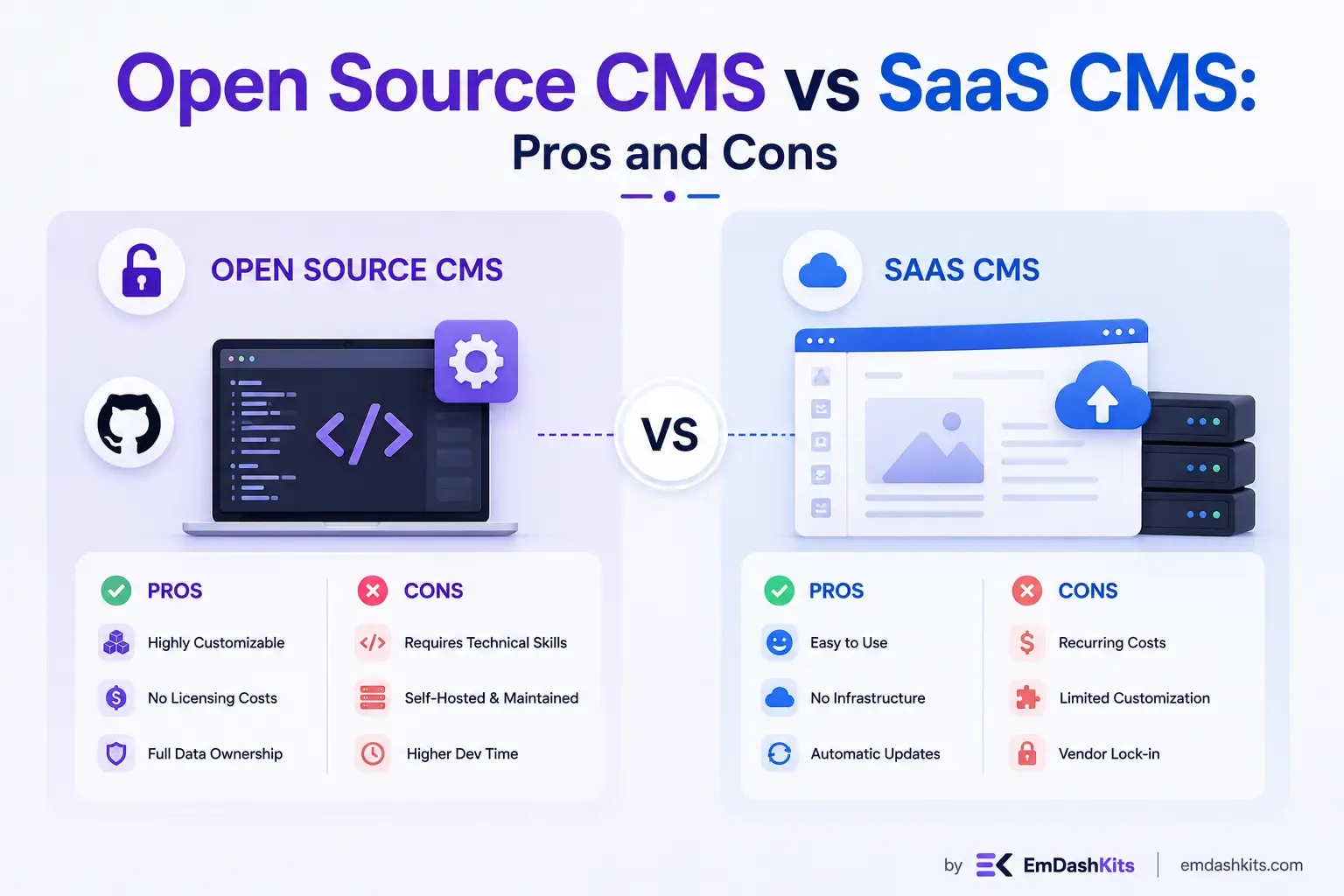
Every website conversation eventually circles back to the same fork in the road: build on something you own and control, or rent something someone else maintains for you. That's the essence of the open source versus SaaS CMS decision, and it's one of the most consequential technical choices a business will make, because it shapes everything from your monthly costs to how much freedom you'll have five years down the line. This guide breaks down what separates the two models, backed by current market data, so you can weigh the trade-offs with a clear head.
Table of Contents
What Is an Open Source CMS?
An open source CMS is software whose underlying code is publicly available, free to use, and modifiable by anyone. WordPress, Drupal, and Joomla are the best-known examples. You typically self-host the platform, meaning you're responsible for your own hosting environment, updates, and security, but in exchange you get full access to the code and the freedom to shape the platform however your project requires.
Open source remains the backbone of the web. Market data consistently puts WordPress alone at roughly 42–43% of all websites globally, an extraordinary share for any single piece of software, and it's not just a small-business phenomenon: even among the internet's highest-traffic domains, open source platforms like WordPress and Drupal reportedly account for more than half of the CMS footprint (source: CMS Knowledge Base).
What Is a SaaS CMS?
A SaaS (Software-as-a-Service) CMS is a fully hosted, subscription-based platform where the provider handles the infrastructure, security, and updates for you. Shopify, Wix, and Squarespace are the most recognizable names in this category. You don't install anything or manage a server; you simply log in, build within the platform's tools, and pay a recurring fee for the privilege.
This model has been the fastest-growing corner of the CMS market for several years running. Wix, for example, has reportedly posted year-over-year growth north of 30%, a trajectory that's helped hosted, all-in-one builders chip away at open source's historical dominance among newly launched sites (source: Colorlib CMS Market Share Report).
Open Source CMS: Pros and Cons
Pros
Full control over code and data. Since you own the installation, you're never boxed in by a vendor's roadmap or feature limitations. If you need custom functionality, you build it, rather than waiting for someone else to ship it.
No mandatory licensing fees. The software itself is free. Your costs come from hosting, developer time, and any premium plugins or themes you choose to add, not a locked-in subscription to the CMS itself.
Enormous ecosystems. Two decades of community development mean there's rarely a feature you need that doesn't already exist as a plugin or extension, particularly in WordPress's case.
Long-term ownership. Your content, code, and infrastructure are entirely yours. There's no risk of a provider changing terms, raising prices, or shutting down and taking your site with it.
Cons
Security is your responsibility. Self-hosted platforms are only as secure as you keep them. This is a real, measurable risk: one widely cited analysis found thousands of new WordPress vulnerabilities disclosed in a single year, with the overwhelming majority originating from third-party plugins rather than the core software itself (source: Colorlib CMS Market Share Report).
You manage hosting and updates. There's no provider quietly patching things in the background. Maintenance, backups, and performance tuning fall on you or whoever you hire to handle it.
Steeper learning curve. Getting real value out of an open source CMS typically requires either development skills or a budget to hire someone who has them.
SaaS CMS: Pros and Cons
Pros
Speed to launch. Drag-and-drop builders and pre-built templates mean a functional site can go live in days rather than weeks.
Managed infrastructure. Hosting, security patches, and compliance (like PCI standards for e-commerce) are handled by the provider, not you.
Predictable costs. A fixed monthly or annual fee makes budgeting simple, without the variable costs of hosting and developer maintenance.
Cons
Limited customization. You're working within the provider's theme engine and app marketplace. Highly specific or unusual functionality may simply be out of reach.
You don't own the underlying code. If the provider changes its pricing, policies, or shuts down a feature you depend on, you have little recourse beyond migrating elsewhere, which is rarely simple with a hosted platform.
Ongoing fees can add up. Premium apps, transaction fees, and tiered pricing plans mean the "predictable" cost can climb quickly as your site's needs grow.
Shared infrastructure trade-offs. Because resources are often shared across the provider's customer base, performance during high-traffic periods can be harder to control compared to an environment you manage yourself.
Open Source vs SaaS: Side-by-Side
Factor | Open Source CMS | SaaS CMS |
|---|---|---|
Cost structure | Free software, variable hosting/dev costs | Fixed subscription, added app fees |
Customization | Extensive, code-level access | Limited to platform's tools |
Maintenance | Self-managed | Fully managed by provider |
Security | Your responsibility | Provider's responsibility |
Setup speed | Slower, more involved | Fast, often live within days |
Data ownership | Full ownership | Provider-hosted, less portable |
Best suited for | Custom, scalable, developer-backed projects | Small businesses wanting speed and simplicity |
Where This Decision Gets More Interesting
The open source versus SaaS framing works well for traditional, front-end-included platforms. But it's worth noting this isn't the only axis modern businesses are weighing anymore. A growing number of teams are looking at architecture, not just hosting model, asking whether they need a headless CMS that separates content from presentation entirely, regardless of whether the underlying platform is open source or SaaS.
In fact, some of the more interesting developments in this space are open source platforms built with headless, API-first principles from the ground up, rather than open source simply meaning "self-hosted WordPress." Our overview of EmDash CMS looks at exactly this kind of platform: open source, but architected for modern, API-driven workflows rather than the traditional template-based model.
There's also a hybrid path emerging between these two worlds. Some businesses combine the front-end flexibility of a headless system with a managed, SaaS-style backend, getting a taste of both models' strengths at once. If you're weighing that kind of blended approach, our breakdown of composable CMS architecture explains how businesses assemble best-of-breed tools rather than committing fully to one philosophy or the other.
Which One Should You Choose?
Open source is likely the better fit if:
- You have development resources or budget to hire them.
- Your project has specific, custom requirements that off-the-shelf tools can't meet.
- Long-term ownership of your code and data matters to your business.
- You're building something that needs to scale in ways a template-based platform can't easily accommodate.
SaaS is likely the better fit if:
- You want to launch quickly without managing infrastructure.
- Your needs fit comfortably within a standard template and app ecosystem.
- Predictable monthly costs matter more than granular customization.
- You don't have, and don't want to hire, in-house technical resources.
Final Thoughts
Neither model is objectively superior, they solve different problems. Open source rewards businesses willing to invest in ownership and customization; SaaS rewards businesses that value speed, simplicity, and offloading maintenance to someone else. The market data backs up the fact that both approaches are thriving simultaneously rather than one displacing the other: open source still underpins a majority of the web, while SaaS platforms continue capturing the fastest-growing segment of new sites.
If you're still deciding, the clearest signal is your team's technical capacity and how much long-term flexibility your project genuinely needs. From there, whether you land on open source, SaaS, or one of the newer hybrid and headless approaches reshaping both categories, you'll be choosing based on what actually fits your business rather than which platform simply has the loudest market share.




Comments