What Is a Composable CMS? (And Why It Matters)

If you've spent time researching modern content management options, you've likely come across headless CMS platforms already. But there's another term gaining traction in the same conversation: composable CMS. It sounds like just another buzzword, but it represents a meaningful shift in how businesses think about building and managing their digital presence. In this guide, we'll break down what a composable CMS is, how it relates to headless architecture, and why it matters for businesses planning their content strategy.
Table of Contents
- What Is a Composable CMS?
- Composable CMS vs. Headless CMS: What's the Difference?
- How Does a Composable CMS Work?
- Why Composable CMS Matters
- 1. Flexibility to Adapt as Needs Change
- 2. Best-of-Breed Tools for Every Function
- 3. Scalability Across Channels
- 4. Reduced Vendor Lock-In
- 5. Better Long-Term Cost Efficiency
- Potential Challenges of Going Composable
- Is a Composable CMS Right for You?
- Final Thoughts
What Is a Composable CMS?
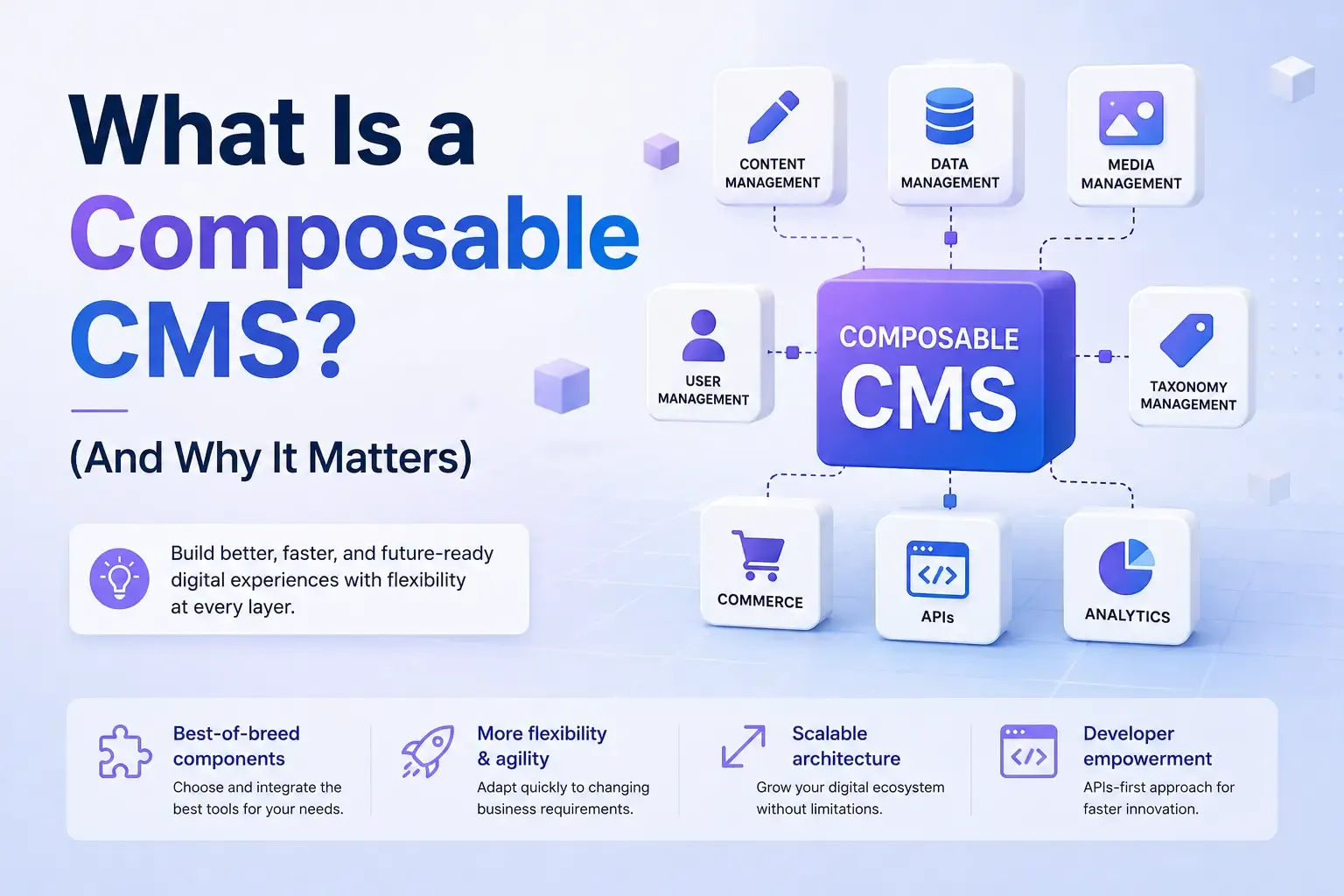
A composable CMS is a content management approach built on the idea of assembling your tech stack from best-of-breed, independent components rather than relying on one all-in-one platform to handle everything. Instead of a single vendor providing content management, search, personalization, e-commerce, and analytics all bundled together, a composable approach lets you pick and choose the best tool for each function and connect them together through APIs.
Think of it like building with modular blocks instead of buying a pre-assembled kit. Each piece, content management, search, personalization engines, e-commerce logic, can be swapped out or upgraded independently without tearing down the entire system.
This approach is often associated with a broader concept called MACH architecture, which stands for Microservices, API-first, Cloud-native, and Headless. A composable CMS is typically headless by default, since decoupling content from presentation is a prerequisite for assembling a flexible, modular stack. If you're not yet familiar with how that separation works, our guide on what a headless CMS is covers the fundamentals in more detail.
Composable CMS vs. Headless CMS: What's the Difference?
It's easy to assume composable and headless are just two words for the same thing, but they're not quite interchangeable.
A headless CMS simply means the content management system doesn't include a built-in front end; content is delivered via API instead. A composable CMS takes that a step further. It's not just about separating content from presentation, it's about treating the entire technology stack as a set of interchangeable, best-of-breed services that can be assembled and reassembled as your needs change.
In other words, every composable CMS is headless, but not every headless CMS is necessarily used in a fully composable way. A business could use a headless CMS on its own without adopting the broader composable philosophy of swapping in specialized tools for search, personalization, or commerce. For a deeper side-by-side comparison of headless and traditional systems, our breakdown of CMS vs. headless CMS is a helpful next read.
How Does a Composable CMS Work?
In a composable setup, the CMS becomes just one piece of a larger puzzle. Here's what that typically looks like in practice:
- Content management: A headless CMS handles content creation, storage, and organization.
- Specialized services: Additional tools handle specific functions, like a dedicated search provider, a personalization engine, or an e-commerce platform.
- API-driven integration: These services are connected together through APIs, allowing them to communicate and share data as needed.
- Custom front end: Developers build the front-end experience, pulling in data from each connected service to create the final product.
Because each piece is independent, teams can replace or upgrade individual services without disrupting the rest of the stack. If a better search provider comes along, you can swap it in without touching your content management system or your e-commerce logic.
Why Composable CMS Matters
1. Flexibility to Adapt as Needs Change
Business needs evolve, and technology evolves even faster. A composable approach means you're never locked into a single vendor's roadmap. If a specific tool falls behind or a better alternative emerges, you can swap it out without a full platform migration.
2. Best-of-Breed Tools for Every Function
Instead of settling for a mediocre, bundled personalization feature because it's what your all-in-one platform offers, a composable approach lets you choose a dedicated, specialized tool built specifically for that purpose.
3. Scalability Across Channels
Like headless CMS platforms in general, composable systems make it easier to deliver content across websites, mobile apps, IoT devices, and emerging platforms, all from a shared content source, without being tied to a single front-end template.
4. Reduced Vendor Lock-In
Traditional, all-in-one platforms can make it difficult and costly to migrate away once you've built your entire business around them. A composable stack, by contrast, is built with modularity in mind from the start, making future changes far less disruptive.
5. Better Long-Term Cost Efficiency
While the upfront investment in a composable setup can be higher, businesses often find it more cost-effective over time, since they're not paying for bundled features they don't need and can upgrade individual pieces incrementally rather than undertaking expensive full-platform overhauls.
Potential Challenges of Going Composable
A composable approach isn't without trade-offs:
- Requires more technical expertise: Assembling and maintaining multiple independent services takes more development resources than an out-of-the-box, all-in-one platform.
- More vendors to manage: Instead of one contract and one support line, you may be juggling relationships with several different providers.
- Integration complexity: Connecting multiple services through APIs requires careful planning to ensure everything works together smoothly.
Is a Composable CMS Right for You?
A composable CMS tends to make the most sense for larger organizations with dedicated development teams, complex, multi-channel digital strategies, or specific needs that a single all-in-one platform can't fully address. If your business is scaling quickly, managing content across many platforms, or has outgrown the limitations of a bundled system, composable architecture is worth serious consideration.
Newer platforms are also emerging that aim to make this transition more approachable. For example, our overview of EmDash CMS explores how a modern, AI-native, open-source CMS fits into this broader shift toward more flexible, developer-friendly content infrastructure.
On the other hand, if you're a smaller business without in-house development resources, an all-in-one traditional CMS or a straightforward headless CMS might still be the more practical starting point until your needs grow more complex.
Final Thoughts
A composable CMS represents the next evolution beyond headless architecture, treating your entire tech stack as a set of interchangeable, best-of-breed pieces rather than a single, bundled platform. It offers flexibility, scalability, and freedom from vendor lock-in, but it also requires more technical investment to set up and maintain.
Understanding where composable architecture fits into the broader CMS landscape, alongside traditional and headless options, can help you make a more informed decision as your content strategy and business needs continue to evolve.




Comments