Website Migration Horror Stories: 7 Failures and What They Teach

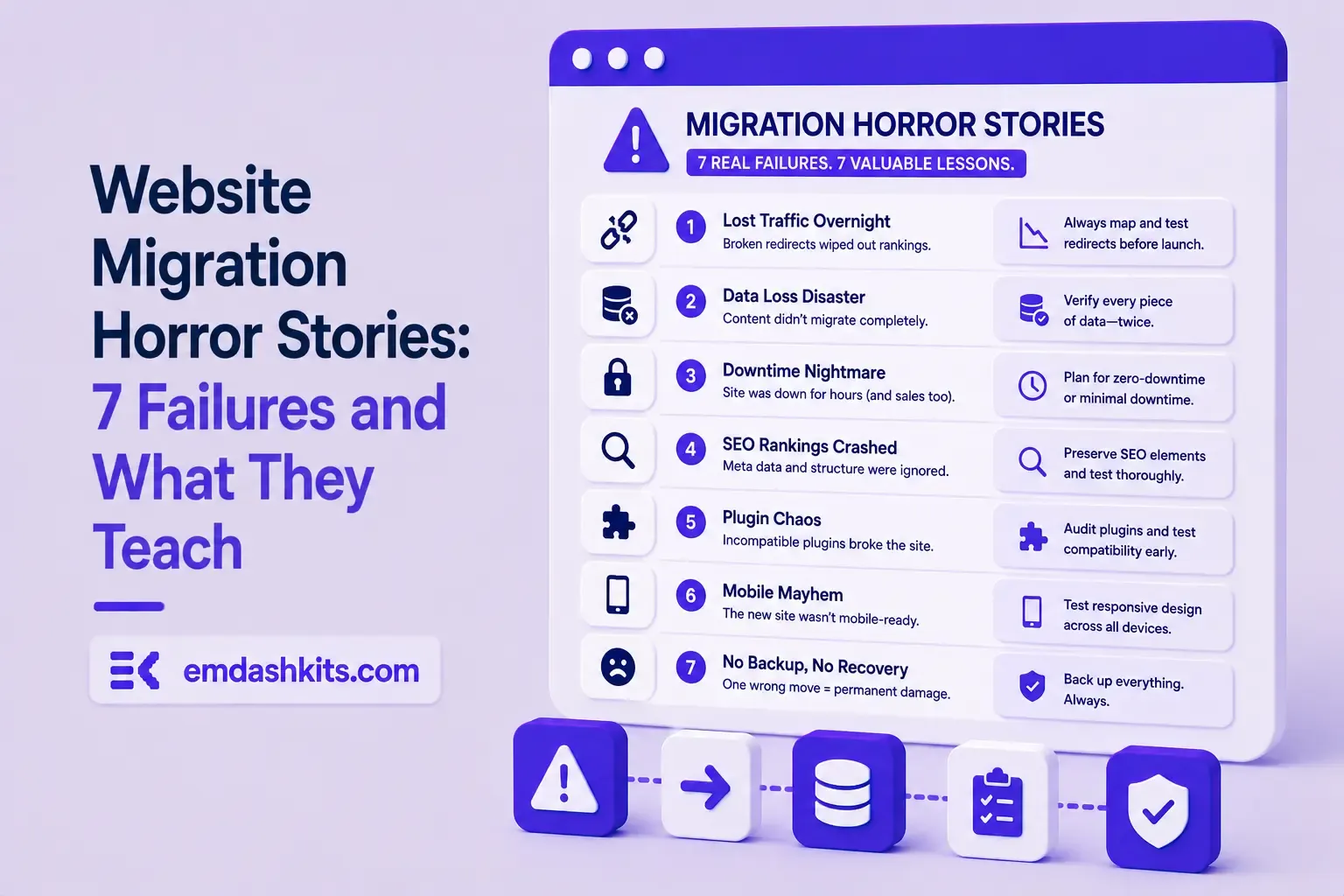
Website Migration Horror Stories: 7 Failures and What They Teach

Migrations get pitched as pure upside: faster site, better platform, cleaner content model. The traffic risk rarely gets equal billing, but it's real — only about 1 in 10 website migrations actually improve SEO rankings; most either hold flat or lose ground. Here are seven specific ways that happens, four of them documented real-world cases.

Table of Contents
  1. Real, Named Failures
  2. 1. The Blanket Redirect to a New Homepage
  3. 2. A Domain Change Without a Content-Level Redirect Map
  4. 3. 15,000 Mis-Redirected URLs and a New URL Structure at Once
  5. 4. Rejecting the Redirect Plan to Save Time
  6. Recurring Mistakes Behind Most Other Failures
  7. 5. Using 302s Instead of 301s
  8. 6. Redirect Chains
  9. 7. Treating Migration SEO as a Post-Launch Cleanup Task
  10. The Actual Takeaway

Real, Named Failures

1. The Blanket Redirect to a New Homepage

When WooCommerce shortened its own URL from WooCommerce.com to Woo.com, a large number of old, indexed pages were redirected as a blanket rule straight to the new homepage instead of their actual equivalent pages. Search engines read a redirect to an unrelated page as content loss, not a move — it's treated closer to a soft 404 than a real migration.

2. A Domain Change Without a Content-Level Redirect Map

In a separate, well-documented case, the e-commerce site LoveKnitting saw its UK Google visibility collapse by roughly 99% after a domain change that wasn't backed by a page-for-page redirect map. A domain move is one of the highest-risk migration types precisely because there's no partial credit — either every important page has a specific new home, or the domain's accumulated authority mostly evaporates.

3. 15,000 Mis-Redirected URLs and a New URL Structure at Once

Today's Closeout migrated from Volusion to BigCommerce while simultaneously changing its URL structure — over 15,000 URLs ended up mis-redirected. Daily organic clicks fell from roughly 40-70 down to near zero within two months. Changing the platform and the URL structure in the same migration multiplies the number of things that can silently break.

4. Rejecting the Redirect Plan to Save Time

One large retailer's own SEO team recommended a full redirect map for a site redesign; IT rejected it as unnecessary extra work. The result was an estimated £3.8 million in lost revenue in the first month alone — a reminder that redirect mapping isn't a nice-to-have line item, it's the thing standing between "migration" and "content deletion" in a search engine's eyes.

Recurring Mistakes Behind Most Other Failures

5. Using 302s Instead of 301s

A 302 tells search engines the move is temporary, so link authority doesn't transfer to the new URL. It's one line of config either way — the wrong one just quietly caps your new site's rankings at wherever it can earn authority from scratch.

6. Redirect Chains

Old URL → intermediate URL → final URL loses a small amount of authority at every hop, and if the intermediate step points to a wrong or outdated "catch-all" target, the chain can dead-end entirely. Redirects should point straight to the final destination, checked one at a time — not layered on top of each other over successive redesigns.

7. Treating Migration SEO as a Post-Launch Cleanup Task

The common thread across all six failures above: redirect mapping, content parity, and URL planning were treated as something to fix after launch if traffic dropped, instead of a launch blocker. By the time a drop is visible in analytics, the re-crawl and de-indexing has usually already happened — the fix is real but slow to take effect.

Read also:

The Actual Takeaway

Every one of these failures traces back to redirect planning, not the migration technology itself. See our 301 redirect map guide and what happens to SEO during a WordPress migration for the specific mechanics, and our broader guide to avoiding SEO ranking loss during any CMS migration if you're planning one now. Our list of common CMS migration mistakes covers the non-SEO failure modes these same migrations tend to hit too.


Share

Comments

Write a comment

Related Articles

Login Works in Production but Fails on localhost: The secure Cookie Flag Gotcha

July 16, 2026

Login Works in Production but Fails on localhost: The secure Cookie Flag Gotcha

Google Analytics (GA4) Not Tracking Anything and No Console Errors: Check Your CSP First

July 16, 2026

Google Analytics (GA4) Not Tracking Anything and No Console Errors: Check Your CSP First

Native Module Build Fails on Shared Hosting (node-gyp, Old glibc/Python): The .npmrc Fix

July 16, 2026

Native Module Build Fails on Shared Hosting (node-gyp, Old glibc/Python): The .npmrc Fix

Login Works in Production but Fails on localhost: The secure Cookie Flag Gotcha

Login Works in Production but Fails on localhost: The secure Cookie Flag Gotcha

TL;DR — A custom session-cookie login flow appeared to succeed on localhost (the OTP verified, the response looked fine) but every subsequent request to a login-gated page treated the visitor as logged out. Identical code worked fine on the live HTTPS site. The cookie's Secure attribute was hardcoded to true — and per the cookie spec, browsers never store or send a Secure cookie over a plain, non-HTTPS connection.

Table of Contents
  1. Diagnostic
  2. Root cause
  3. Fix
  4. Lessons learned

Diagnostic

Check the actual Set-Cookie response header and the browser's own cookie storage panel — on localhost over http://, the cookie is sent by the server but never actually stored by the browser.

Root cause

// before -- assumes the app is always served over HTTPS
setCookie("session", token, { secure: true, httpOnly: true });
emdashkits.com

A cookie config that quietly assumes "we're always on HTTPS" breaks the instant you test over plain HTTP, which local dev servers commonly are.

Read also:

Fix

// after -- derive secure from the actual request protocol
const isHttps = request.url.startsWith("https://");
setCookie("session", token, { secure: isHttps, httpOnly: true });
emdashkits.com

Lessons learned

  • Any Secure-flagged cookie needs to key off the real request scheme, not an assumption baked in once at cookie-creation time.
  • "Works in production, silently fails in local dev" is a strong signal to check cookie flags before anything else in an auth flow.
  • Check other cookies in the same codebase for the same hardcoded assumption — if one cookie has this bug, sibling cookies set the same way are worth auditing too.
Share
Previous Article

Google Analytics (GA4) Not Tracking Anything and No Console Errors: Check Your CSP First

Comments

Write a comment

Related Articles

Google Analytics (GA4) Not Tracking Anything and No Console Errors: Check Your CSP First

July 16, 2026

Google Analytics (GA4) Not Tracking Anything and No Console Errors: Check Your CSP First

Native Module Build Fails on Shared Hosting (node-gyp, Old glibc/Python): The .npmrc Fix

July 16, 2026

Native Module Build Fails on Shared Hosting (node-gyp, Old glibc/Python): The .npmrc Fix

Uploaded Images Disappear After Every Deploy on Shared Hosting (and Other Reverse-Proxy Gotchas)

July 16, 2026

Uploaded Images Disappear After Every Deploy on Shared Hosting (and Other Reverse-Proxy Gotchas)

Google Analytics (GA4) Not Tracking Anything and No Console Errors: Check Your CSP First

Google Analytics (GA4) Not Tracking Anything and No Console Errors: Check Your CSP First

TL;DR — GA4's gtag.js snippet was installed correctly, the page loaded with no visible JavaScript error, and GA4's real-time report still showed zero activity. The CMS's default Content-Security-Policy had no allowance for analytics domains and no config option to add one — so every request to Google's tracking endpoints was blocked at the browser level before it could fail loudly.

Table of Contents
  1. Diagnostic
  2. Root cause
  3. Lessons learned

Diagnostic

Check the browser's dedicated CSP violation reporting, not the regular console error list — CSP blocks are reported through their own channel, not thrown as normal script errors, so "no console errors" doesn't mean nothing was blocked.

Root cause

The CSP's script-src and connect-src directives had no entry for googletagmanager.com or google-analytics.com, and the CMS exposed no configuration surface to add one — the only way in was patching the CSP directives directly.

// patch-package: add analytics domains to the existing CSP directives
scriptSrc.push("https://www.googletagmanager.com");
connectSrc.push("https://www.google-analytics.com", "https://www.googletagmanager.com");
emdashkits.com
Read also:

Lessons learned

  • "No console errors" is not proof nothing was blocked — CSP violations live in their own reporting surface and are easy to miss if you're only scanning for red error text.
  • Before adding any third-party script tag to a site with a CSP already in place, check the CSP's directives first rather than assuming a silently-empty analytics dashboard means a snippet-installation mistake.
Share
Previous Article

Native Module Build Fails on Shared Hosting (node-gyp, Old glibc/Python): The .npmrc Fix

Next Article

Login Works in Production but Fails on localhost: The secure Cookie Flag Gotcha

Comments

Write a comment

Related Articles

Login Works in Production but Fails on localhost: The secure Cookie Flag Gotcha

July 16, 2026

Login Works in Production but Fails on localhost: The secure Cookie Flag Gotcha

Native Module Build Fails on Shared Hosting (node-gyp, Old glibc/Python): The .npmrc Fix

July 16, 2026

Native Module Build Fails on Shared Hosting (node-gyp, Old glibc/Python): The .npmrc Fix

Uploaded Images Disappear After Every Deploy on Shared Hosting (and Other Reverse-Proxy Gotchas)

July 16, 2026

Uploaded Images Disappear After Every Deploy on Shared Hosting (and Other Reverse-Proxy Gotchas)

