Why Businesses Are Switching to Headless CMS in 2026

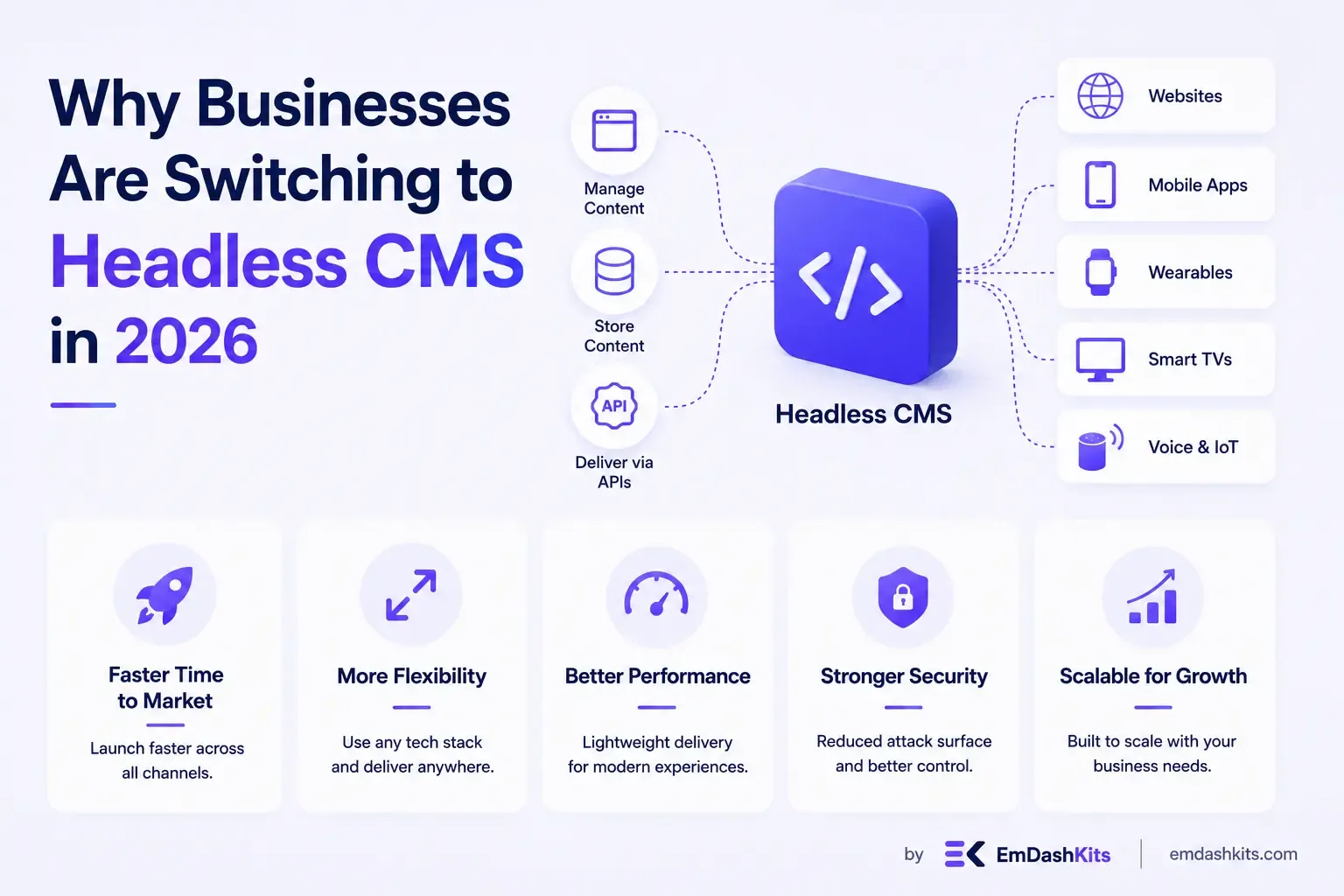
Why Businesses Are Switching to Headless CMS in 2026

For most of the last decade, headless CMS adoption was a story about ambitious enterprises and engineering-heavy teams. That's changed. The switch is now broad enough that it shows up clearly in market data, not just conference talk tracks — and the reasons teams give for migrating in 2026 are more concrete than "it's more flexible."

Table of Contents
  1. The Numbers Behind the Shift
  2. What's Actually Driving the Switch
  3. 1. AI-Native Content Workflows
  4. 2. Security Exposure
  5. 3. Omnichannel Delivery
  6. 4. Performance and Core Web Vitals
  7. Who Shouldn't Switch Yet
  8. How Teams Are Actually Migrating
  9. Sources

The Numbers Behind the Shift

Momentum is accelerating, not plateauing. In the Netherlands, 77% of companies report planning to migrate to a new CMS soon, and 86% of those already on a headless setup report increased ROI. In Germany, roughly 70% of companies that migrated saw measurable performance and scaling improvements. The headless CMS category overall — spanning platforms like Sanity, Strapi, Contentful, and others — has more than doubled its share of the CMS market even though it's still a small slice of the total.

Meanwhile, WordPress — still the largest single CMS by a wide margin — has posted its first sustained market-share decline in its 20-plus-year history, dropping from a peak above 43% in mid-2025. That's not a collapse, but it's a signal that the ground is shifting, particularly among teams choosing a platform for a new project rather than migrating an existing one.

What's Actually Driving the Switch

1. AI-Native Content Workflows

This is the newest and fastest-growing driver. Structured content and API-first delivery are what let AI agents generate content, personalize experiences, and run experiments at scale — something a monolithic CMS storing raw HTML in one big table simply isn't built for. Teams adopting headless in 2026 increasingly cite AI workflows as the primary reason, not a side benefit.

2. Security Exposure

WordPress accounted for the large majority of CMS-related vulnerability disclosures in the past year, and the overwhelming majority of those originated in its plugin ecosystem rather than WordPress core. A headless setup with a static or edge-rendered front end has a fundamentally smaller attack surface — no PHP to exploit, no admin login page exposed to the public internet, no plugin with unrestricted database access.

3. Omnichannel Delivery

Content increasingly needs to reach more than one website — mobile apps, kiosks, partner integrations, IoT displays. A traditional CMS that renders HTML server-side has no clean way to also serve that same content as structured JSON elsewhere. A headless CMS was built for that from day one.

4. Performance and Core Web Vitals

Decoupling the front end lets teams build on genuinely fast rendering approaches — static generation, edge rendering, islands architecture — instead of inheriting a template engine's rendering ceiling. For teams where SEO and page-speed scores are directly tied to revenue, this alone is often enough to justify the migration.

Read also:

Who Shouldn't Switch Yet

Headless isn't the right call for everyone in 2026, and the data doesn't suggest it should be. A single-founder business, a portfolio site, or a campaign microsite is usually better served by an all-in-one builder that ships in a day — see our breakdown of traditional CMS vs. static site generators for where that line sits. Teams without any front-end engineering capacity will also feel the migration cost more than the benefit, at least until they bring on that skill set or choose a hybrid CMS that offers headless flexibility without requiring a fully custom front end.

How Teams Are Actually Migrating

  • Most successful migrations run the old and new CMS in parallel for a defined content type before cutting over everything at once.
  • Teams increasingly pick platforms with MACH-aligned architecture rather than a single do-everything suite — see our explainer on MACH architecture for why that combination matters.
  • Security and compliance requirements are now a top-three migration driver for regulated industries, not just an engineering preference.

If you're evaluating this decision for your own team, it's worth reading through the fundamentals first: what a headless CMS actually is, how it differs from a traditional CMS, and — if you're specifically weighing this against a large-scale legacy deployment — what enterprise buyers are prioritizing this year.


Sources

Share

Comments

Write a comment

Related Articles

Login Works in Production but Fails on localhost: The secure Cookie Flag Gotcha

July 16, 2026

Login Works in Production but Fails on localhost: The secure Cookie Flag Gotcha

Google Analytics (GA4) Not Tracking Anything and No Console Errors: Check Your CSP First

July 16, 2026

Google Analytics (GA4) Not Tracking Anything and No Console Errors: Check Your CSP First

Native Module Build Fails on Shared Hosting (node-gyp, Old glibc/Python): The .npmrc Fix

July 16, 2026

Native Module Build Fails on Shared Hosting (node-gyp, Old glibc/Python): The .npmrc Fix

Login Works in Production but Fails on localhost: The secure Cookie Flag Gotcha

Login Works in Production but Fails on localhost: The secure Cookie Flag Gotcha

TL;DR — A custom session-cookie login flow appeared to succeed on localhost (the OTP verified, the response looked fine) but every subsequent request to a login-gated page treated the visitor as logged out. Identical code worked fine on the live HTTPS site. The cookie's Secure attribute was hardcoded to true — and per the cookie spec, browsers never store or send a Secure cookie over a plain, non-HTTPS connection.

Table of Contents
  1. Diagnostic
  2. Root cause
  3. Fix
  4. Lessons learned

Diagnostic

Check the actual Set-Cookie response header and the browser's own cookie storage panel — on localhost over http://, the cookie is sent by the server but never actually stored by the browser.

Root cause

// before -- assumes the app is always served over HTTPS
setCookie("session", token, { secure: true, httpOnly: true });
emdashkits.com

A cookie config that quietly assumes "we're always on HTTPS" breaks the instant you test over plain HTTP, which local dev servers commonly are.

Read also:

Fix

// after -- derive secure from the actual request protocol
const isHttps = request.url.startsWith("https://");
setCookie("session", token, { secure: isHttps, httpOnly: true });
emdashkits.com

Lessons learned

  • Any Secure-flagged cookie needs to key off the real request scheme, not an assumption baked in once at cookie-creation time.
  • "Works in production, silently fails in local dev" is a strong signal to check cookie flags before anything else in an auth flow.
  • Check other cookies in the same codebase for the same hardcoded assumption — if one cookie has this bug, sibling cookies set the same way are worth auditing too.
Share
Previous Article

Google Analytics (GA4) Not Tracking Anything and No Console Errors: Check Your CSP First

Comments

Write a comment

Related Articles

Google Analytics (GA4) Not Tracking Anything and No Console Errors: Check Your CSP First

July 16, 2026

Google Analytics (GA4) Not Tracking Anything and No Console Errors: Check Your CSP First

Native Module Build Fails on Shared Hosting (node-gyp, Old glibc/Python): The .npmrc Fix

July 16, 2026

Native Module Build Fails on Shared Hosting (node-gyp, Old glibc/Python): The .npmrc Fix

Uploaded Images Disappear After Every Deploy on Shared Hosting (and Other Reverse-Proxy Gotchas)

July 16, 2026

Uploaded Images Disappear After Every Deploy on Shared Hosting (and Other Reverse-Proxy Gotchas)

Google Analytics (GA4) Not Tracking Anything and No Console Errors: Check Your CSP First

Google Analytics (GA4) Not Tracking Anything and No Console Errors: Check Your CSP First

TL;DR — GA4's gtag.js snippet was installed correctly, the page loaded with no visible JavaScript error, and GA4's real-time report still showed zero activity. The CMS's default Content-Security-Policy had no allowance for analytics domains and no config option to add one — so every request to Google's tracking endpoints was blocked at the browser level before it could fail loudly.

Table of Contents
  1. Diagnostic
  2. Root cause
  3. Lessons learned

Diagnostic

Check the browser's dedicated CSP violation reporting, not the regular console error list — CSP blocks are reported through their own channel, not thrown as normal script errors, so "no console errors" doesn't mean nothing was blocked.

Root cause

The CSP's script-src and connect-src directives had no entry for googletagmanager.com or google-analytics.com, and the CMS exposed no configuration surface to add one — the only way in was patching the CSP directives directly.

// patch-package: add analytics domains to the existing CSP directives
scriptSrc.push("https://www.googletagmanager.com");
connectSrc.push("https://www.google-analytics.com", "https://www.googletagmanager.com");
emdashkits.com
Read also:

Lessons learned

  • "No console errors" is not proof nothing was blocked — CSP violations live in their own reporting surface and are easy to miss if you're only scanning for red error text.
  • Before adding any third-party script tag to a site with a CSP already in place, check the CSP's directives first rather than assuming a silently-empty analytics dashboard means a snippet-installation mistake.
Share
Previous Article

Native Module Build Fails on Shared Hosting (node-gyp, Old glibc/Python): The .npmrc Fix

Next Article

Login Works in Production but Fails on localhost: The secure Cookie Flag Gotcha

Comments

Write a comment

Related Articles

Login Works in Production but Fails on localhost: The secure Cookie Flag Gotcha

July 16, 2026

Login Works in Production but Fails on localhost: The secure Cookie Flag Gotcha

Native Module Build Fails on Shared Hosting (node-gyp, Old glibc/Python): The .npmrc Fix

July 16, 2026

Native Module Build Fails on Shared Hosting (node-gyp, Old glibc/Python): The .npmrc Fix

Uploaded Images Disappear After Every Deploy on Shared Hosting (and Other Reverse-Proxy Gotchas)

July 16, 2026

Uploaded Images Disappear After Every Deploy on Shared Hosting (and Other Reverse-Proxy Gotchas)

