Git-Based CMS Explained: A Developer's Guide

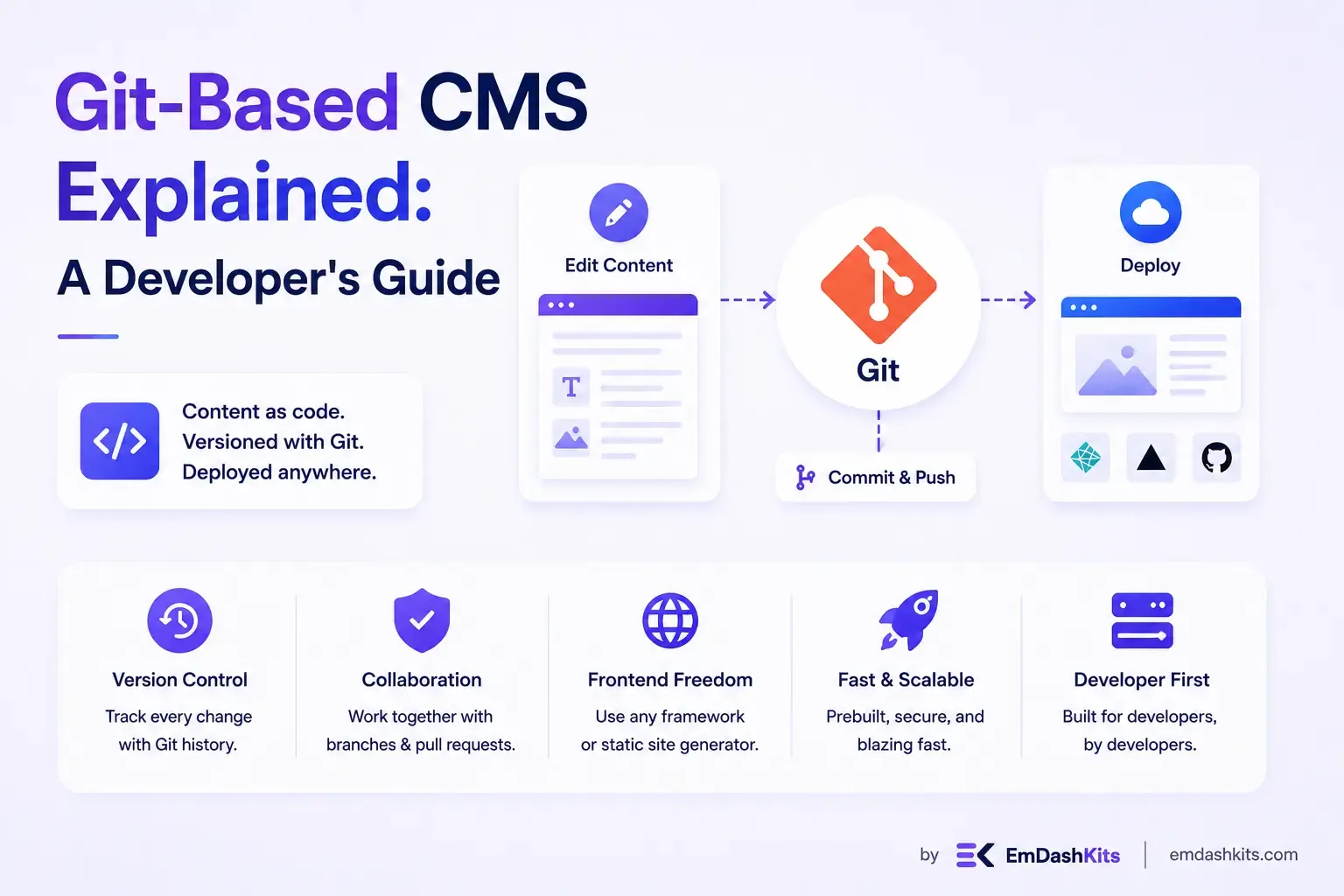
Most developers' first real frustration with a CMS isn't the interface, it's the disconnect. You write code in a repository, review it with pull requests, deploy it through a pipeline you trust, and then the content lives somewhere else entirely: a database on the other side of an API call, editable by people who never touch your version control history. A Git-based CMS closes that gap. It treats content the same way you treat code, versioned, branchable, and reviewable, and for a specific slice of projects, that turns out to be a genuinely better way to work.
This guide breaks down what a Git-based CMS actually is, how it works under the hood, where it shines, and where it runs out of road.
Table of Contents
- What Is a Git-Based CMS?
- How a Git-Based CMS Actually Works
- The Main Players in 2026
- Why Teams Choose a Git-Based CMS
- Where It Gets Harder
- Git-Based CMS vs. Headless CMS vs. Traditional CMS
- Where Git-Based CMS Fits in the Jamstack World
- Is a Git-Based CMS Right for Your Project?
- Beyond the Binary: Composable and Hybrid Paths
- Final Thoughts
What Is a Git-Based CMS?
A Git-based CMS is a content management system that stores your content, usually as Markdown, YAML, or JSON files, directly inside a Git repository, alongside your codebase, rather than in a separate database. When an editor makes a change through the CMS interface, that change becomes a Git commit. Publishing a blog post looks, under the hood, exactly like merging a pull request.
This is a meaningfully different model from both traditional CMS platforms, which store content in a database that your application queries at runtime, and typical headless CMS setups, which store content in the vendor's own hosted database and serve it to your frontend through an API. A Git-based CMS skips the database layer entirely. Your Git provider (GitHub, GitLab, Bitbucket) is the backend.
Decap CMS, formerly Netlify CMS, is the platform that popularized this approach. It remains, in many ways, the reference example: a single-page admin app you drop into your site, configured through one YAML file, that gives non-technical editors a clean interface for editing files that live in your repo. Its declarative configuration lets developers set up collections, fields, workflow rules, and media handling without writing code, and content stays version-controlled with full history, branch workflows, and deployment checks running through the same system the engineering team already uses (source: Decap CMS).
How a Git-Based CMS Actually Works
The mechanics are simpler than they sound, which is a large part of the appeal.
1. Content lives as files in your repo. A blog post might be a Markdown file with YAML frontmatter. A product page might be a JSON file with structured fields. Either way, it sits in the same repository as your templates and components.
2. The CMS reads your config, not a database schema. You define your content model, what fields a "blog post" has, what an "author" object looks like, in a configuration file. Because the CMS can be integrated with just the addition of a couple of files to your repository, setup tends to be genuinely fast compared to standing up a traditional CMS install (source: Decap CMS Blog).
3. Editors work through a web UI, but every save is a commit. A marketing writer clicking "publish" in the CMS interface never sees Git directly, but behind that button is a commit (and often a pull request) with a full diff of what changed.
4. Your static site generator or framework rebuilds from the repo. Whether you're on Hugo, Astro, Next.js, Eleventy, or Gatsby, a new commit triggers a rebuild, and the updated content goes live through your normal deployment pipeline. The model works with any static site generator, which is part of why it's found consistent traction across marketing sites, blogs, documentation sites, internal web portals, and multi-language projects (source: Netlify: Decap).
5. Authentication is handled through your Git provider (or a gateway). Most setups authenticate editors via GitHub, GitLab, or a proxy service like Git Gateway, rather than maintaining a separate user database.
The Main Players in 2026
The Git-based CMS space has shifted noticeably in the last few years, and it's worth knowing where things actually stand rather than assuming the market looks the way it did when Netlify CMS was the only real option.
Decap CMS is still the most widely deployed and broadly compatible option. It integrates with more Git backends than any competitor and remains a solid, battle-tested choice for teams comfortable with YAML configuration who aren't chasing the newest developer experience. That said, the honest caveat matters: development slowed materially after Netlify handed the project to the community in 2023, and the editing UI hasn't kept pace with newer tools (source: Lucky Media: Decap CMS Review).
TinaCMS has emerged as the more actively developed alternative for teams that want a more modern editing experience. It's a React-based CMS that stores content in Git, offers both self-hosted and cloud versions, and has become popular in more complex setups where the content structure is known upfront (source: Sitepins).
Sveltia CMS positions itself as a direct successor to Decap, built as a full rewrite rather than an incremental fork. It's a free, open-source, Git-based headless CMS designed for Jamstack sites, built with a focus on modern UX and first-class internationalization support. Its adoption has been notable enough that it's now used by projects ranging from personal sites to at least one U.S. government website migrating away from Decap (source: Sveltia CMS on GitHub).
CloudCannon takes a more commercial, agency-oriented approach. It's a commercial Git-based CMS with a visual interface, team workflows, and built-in hosting, and it's particularly popular among agencies handing off polished sites to non-technical clients (source: Sitepins).
None of these is a universal "best" choice. The right pick depends heavily on your team's technical comfort, how complex your content model is, and whether your editors will be developers, marketers, or somewhere in between.
Why Teams Choose a Git-Based CMS
Version control comes for free. Every content change has a full history, a diff, and an author. If someone publishes something wrong, rolling it back is a git revert, not a support ticket.
No database to secure, patch, or back up. Because content lives as files in your repo rather than in a live database, a huge category of CMS security risk simply doesn't apply. There's no database to get breached, no admin login to brute-force in the traditional sense.
Content and code stay in sync. When a new feature needs a matching content field, both changes can ship in the same pull request, reviewed together, deployed together. That's a genuinely different workflow than coordinating a schema change in a hosted CMS with a separate deploy for your frontend.
Zero vendor lock-in on the content layer. Your content lives in your own Git repository, not locked to any single provider's database, which means you're never boxed into a platform's pricing changes or roadmap decisions for the thing that matters most: your actual content (source: Decap CMS).
It's usually free. The CMS software itself typically carries no license fee. Costs come from hosting, any premium proxy or gateway services you choose to add, and developer time, not a recurring subscription for the CMS layer itself.
Where It Gets Harder
Non-technical editors hit friction fast. The cleanest version of a Git-based workflow assumes every editor either has a Git provider account with repo access or goes through an identity gateway you've set up. For a five-person marketing team that's never heard of a pull request, that's a real onboarding cost, not a footnote.
Scale has a ceiling. Git-based CMS platforms are not built for large, relational content sets. A typical Decap project on GitHub scales to roughly 10,000 entries before performance degrades if there are many collection relations, and the practical bottleneck is often the Git provider's own API rate limits rather than the CMS itself (source: Decap CMS Blog). Past that point, you're generally better served by a database-backed headless CMS.
Advanced editorial workflows are limited. Real-time collaboration, granular roles and permissions, and scheduled publishing are either missing or bolted on. Some platforms address this with a cloud database proxy layered on top of the Git backend, which unlocks features like real-time collaboration and user roles, but at that point you've reintroduced some of the infrastructure the model was designed to avoid (source: Decap CMS Blog).
Project stewardship varies. This is worth watching closely if you're picking a tool for a long-lived project. Both of the category's best-known tools have already lived through changes in ownership or investment, and the honest advice in 2026 is to check recent commit activity yourself before betting a client project on any single option (source: UnfoldCMS).
Rebuild times can slow down publishing. Because a new piece of content typically triggers a full site rebuild, very large static sites can see a meaningful delay between an editor hitting "publish" and the change actually going live, something a database-backed CMS with server-side rendering doesn't run into.
Git-Based CMS vs. Headless CMS vs. Traditional CMS
It's easy to lump these together, but they solve different problems:
Traditional CMS | Headless CMS | Git-Based CMS | |
|---|---|---|---|
Where content lives | Vendor's own database | Vendor's own database, served via API | Your Git repository |
Frontend coupling | Tightly coupled | Decoupled (any frontend) | Decoupled (any frontend) |
Editorial auth | CMS's own user system | CMS's own user system | Git provider or gateway |
Version history | Sometimes, often shallow | Sometimes, varies by vendor | Full Git history, built-in |
Best for | Simple, self-contained sites | Multi-channel, app-driven content | Developer-led static/Jamstack sites |
A Git-based CMS is really a subset of the headless CMS category, decoupled from the frontend the same way, but with a fundamentally different storage model. If you're still working out how headless architecture compares to the traditional, database-driven approach more broadly, our piece on CMS vs. headless CMS walks through that distinction in more depth.
Where Git-Based CMS Fits in the Jamstack World
Git-based CMS tools didn't emerge in a vacuum, they grew directly out of the Jamstack movement, where sites are pre-built as static assets and served from a CDN rather than rendered on demand by a server. If your frontend is already a static site generator, storing content as files in the same repository the generator reads from isn't a workaround, it's the natural fit. Our comparison of static site generators vs. traditional CMS platforms covers this pairing in more detail if you're still deciding on your frontend approach.
This is also where the API-first conversation intersects. A Git-based CMS is inherently API-adjacent in spirit, content is decoupled and structured, even if the "API" is really just your build process reading files, and it's worth understanding how that compares to a true API-first CMS built around live endpoints rather than repository reads.
Is a Git-Based CMS Right for Your Project?
It's a strong fit if:
- Your team already lives in Git and pull requests, and extending that workflow to content feels natural rather than forced.
- Your site is built on a static site generator or Jamstack framework.
- Your content volume is modest to moderate, blogs, documentation, marketing pages, rather than tens of thousands of interrelated records.
- Zero vendor lock-in and full content ownership matter more to you than a polished, fully managed editorial experience.
- Your editors are developers, or comfortable enough with a lightweight review process to work within one.
It's probably not the right fit if:
- Your editorial team is entirely non-technical and needs a familiar, database-backed editing experience with minimal setup.
- You need real-time collaboration, complex approval workflows, or scheduled publishing as first-class features.
- Your content model is large and highly relational, thousands of interconnected entries rather than a few hundred pages.
- You need instant content updates without waiting on a site rebuild.
Beyond the Binary: Composable and Hybrid Paths
The Git-based model doesn't have to be an all-or-nothing decision against database-backed platforms. A growing number of teams are landing on composable CMS architectures, assembling a Git-based layer for developer-owned content alongside other best-of-breed services for commerce, search, or personalization, rather than committing entirely to one model.
There's also a middle path worth knowing about: a hybrid CMS approach, which blends the structured flexibility of a headless, API-driven backend with a more traditional, visual editing experience up front. This can be a useful landing spot for teams who like the ownership story of Git-based tools but want an editorial experience closer to what a marketing team expects. It's also part of why some newer open-source platforms are being built with API-first, headless principles from day one, rather than treating "open source" as synonymous with a traditional, template-based install. Our overview of EmDash CMS looks at exactly that kind of platform.
And if you're still weighing the broader question of self-hosted, open-source ownership against a fully managed subscription model before you even get to the Git-based question, our breakdown of open source vs. SaaS CMS is a useful starting point.
Final Thoughts
A Git-based CMS isn't a smaller or simpler version of a headless CMS, it's a different bet entirely: that your content deserves the same rigor, history, and review process your code already gets. For developer-led teams building static or Jamstack sites, that bet tends to pay off in security, ownership, and workflow simplicity. For larger, non-technical editorial teams managing sprawling content operations, it's usually the wrong tool, and that's fine. The category was never trying to replace the database-backed CMS, it was built to solve a specific problem for a specific kind of team.
If that team sounds like yours, start small: pick a platform that matches your framework, keep your content model simple at first, and let the Git history do what it's always done best, give you a clear, reversible record of everything that changed.




Comments